PROMPTLY FOR MAC

AI in
every app.

Select any text and press ⌘U. Rewrite it right where you’re typing, or ask about it, your screen, or a file.

Free for your first 30 commands. Then $25, once.

REWRITE ANYTHING

Three moves.
Works in any app.

Mail, Slack, Notion, VS Code, a browser tab. If you can select the text, Promptly can rewrite it.

Hi Sarah,

hey so i think we should prob push the launch a week bc the onboarding isnt really ready

01

Select the text

Highlight a sentence, a paragraph or a whole email. Anywhere on your Mac.

⌘+U
02

Press ⌘U

The command palette opens on top of what you’re doing. Your selection comes with it.

Improve Writing⌘1
Change Tone⌘2
Translate⌘3
03

Pick a command

Improve, shorten, translate, change tone, or your own. The result replaces your text.

ASK ANYTHING

Ask about whatever is on your screen.

Skip the command and type a question. Promptly answers about the text you selected, a part of your screen, or a file. Every chat is saved in History.

SCREEN⌘⇧U

Drag over an error, a chart or a design. Ask what it means.

~/acme-web · zsh
$ npm install react-day-picker
npm ERR! code ERESOLVE
npm ERR! ERESOLVE unable to resolve dependency tree
npm ERR! Found: react@19.0.0
npm ERR! Could not resolve dependency:
npm ERR! peer react@"^18.0.0" from react-day-picker@8.10.1
npm ERR! Fix the upstream dependency conflict, or retry
npm ERR! with --force or --legacy-peer-deps
Screenshot from Terminal · 10:58
why is this failing?
react-day-picker 8 only supports React 18, and you’re on React 19. Upgrade it to version 9, or add --legacy-peer-deps for now.
SELECTION⌘U

Highlight anything and ask about it.

“Payment terms: net 30 from invoice date.”
what does net 30 mean?
You have 30 days from the invoice date to pay.
DOCUMENT⌘O

Drop a PDF or file in and ask.

PDFlaunch-notes.pdf12 pages
what are the open risks?
Three: legal sign-off, the onboarding flow, and the EU pricing page.
FEATURES

Your words, your commands.

Make it yours

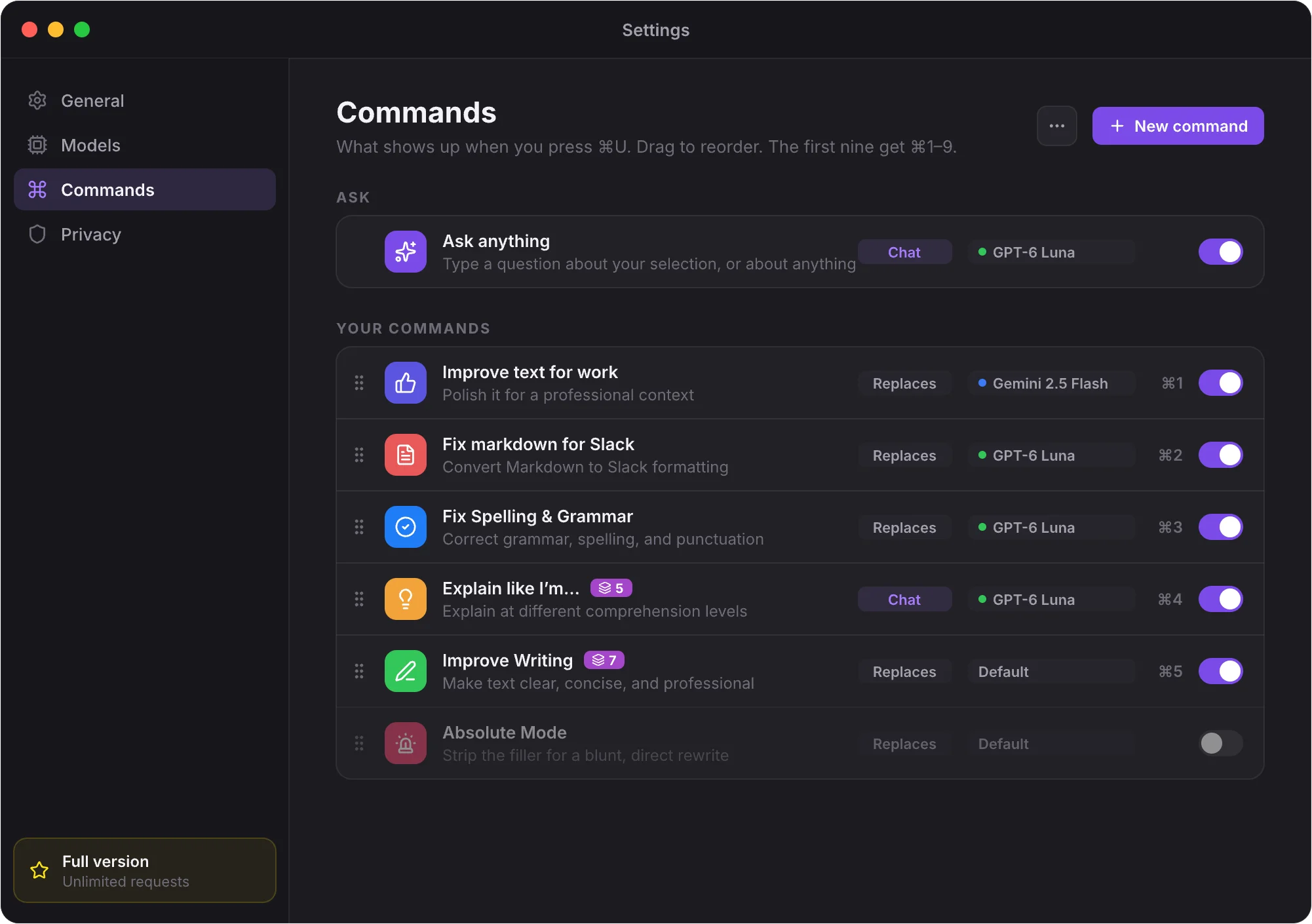
Write a prompt once, give it a shortcut, pick the model. Your commands sit next to the built-in ones, ⌘1 to ⌘9.

Own promptOwn modelOwn shortcut
Promptly Settings, Commands tab: your own commands with their model and ⌘ shortcut

Combos

Chain commands. Fix grammar, shorten, translate, in a single step.

Diff preview

Hold ⌥ to see what you wrote before Promptly replaces it.

Ask and chat

Press ⌘U with nothing selected to ask anything. Chats are kept in History.

Capture screen

Press ⌘⇧U, drag over any part of the screen, and ask about it.

MODELS

Works out of the box. Bigger models when you want them.

Promptly runs on Apple Intelligence, right on your Mac. Add an OpenAI, Anthropic or Gemini key and pick the model per command.

Apple IntelligenceBuilt in · on-device · no key
Default
OpenAIYour key · sent straight to OpenAI
AnthropicYour key · sent straight to Anthropic
Google GeminiYour key · sent straight to Google

Your text is yours.

Keys in your Keychain

API keys are stored by macOS, not in a settings file.

Straight to the provider

Your text goes from your Mac to the model you picked. Never through our servers.

No tracking

No analytics in the app and no account needed to use it.

PRICING

Try it free.
Own it for $25.

No subscription and no account to start. Use every feature for your first 30 commands, then decide.

  1. 1
    Download the appFree DMG, straight from us.
  2. 2
    Use 30 commandsEverything works, nothing is locked.
  3. 3
    Buy oncePaste your license key and it’s yours.
Lifetime license
$25one time
no subscription
  • Unlimited commands
  • Every feature: commands, combos, chat, capture
  • Your own API keys, no markup
  • License key and DMG in your account, anytime
Buy Promptly for $25
Secure checkout · Key sent by emailAlready bought? Sign in
FAQ

Good questions.

Something else? Write to us at hello@promptlyapp.cc

Do I need an API key?

No. Promptly uses Apple Intelligence on Macs that support it. Add an OpenAI, Anthropic or Gemini key only if you want bigger models.

What happens after 30 free commands?

Promptly asks for a license key. Buy it once for $25, paste the key, and you get unlimited commands. Your settings and commands stay as they are.

Where do I find my license key?

On the page right after checkout, in the email we send you, and anytime in your account.

Can I install it on another Mac?

Yes. Download the DMG from your account on any Mac you use and paste the same license key.

Is my text stored anywhere?

No. Your text goes from your Mac straight to the model you picked, or stays on your Mac with Apple Intelligence. It never passes through our servers.

Rewrite anything,
right where you type.

Free for your first 30 commands.